

DOOR FACTORY Premium for Revit
The quickest & easiest way to make doors and curtain panel doors in Revit
- Create standard or unique doors in minutes
- Any user – novice or expert
- Consistent functionality and scheduling
"A well crafted, solid add-on that saves so much time and affords such consistency in door creation that it pays for itself within days of purchase."
William Sutherland - WS Architecture Ltd

Premium DOOR FACTORY is Built for Speed
Watch how you can build a door in 60 seconds or less with Premium Door Factory*
*using the Door Factory Premium add-in for full version Revit. Door build speed will vary depending on PC specifications.
Get into flow with these easy to use features
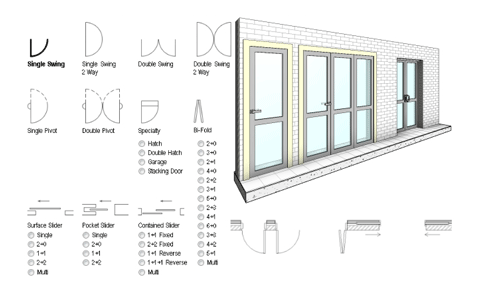
44 Different Door Actions
Swing doors | Pivot doors | Surface sliders
Wardrobe sliders | Pocket sliders | Bi-fold doors
Garage Doors | Single and Double Hatches Interconnecting (hotel room) Doors
Stacking (operable wall) Doors.
Create as Standard Doors or Curtain Panel Doors
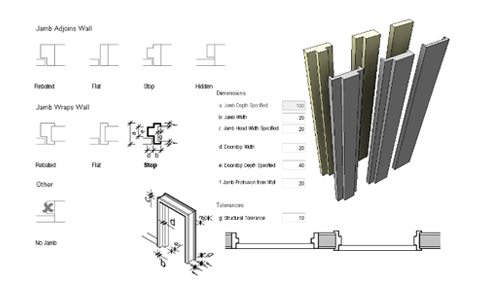
Multiple Jamb Types
All the standard jamb types are available including timber and steel type profiles.
All dimensions are configurable.
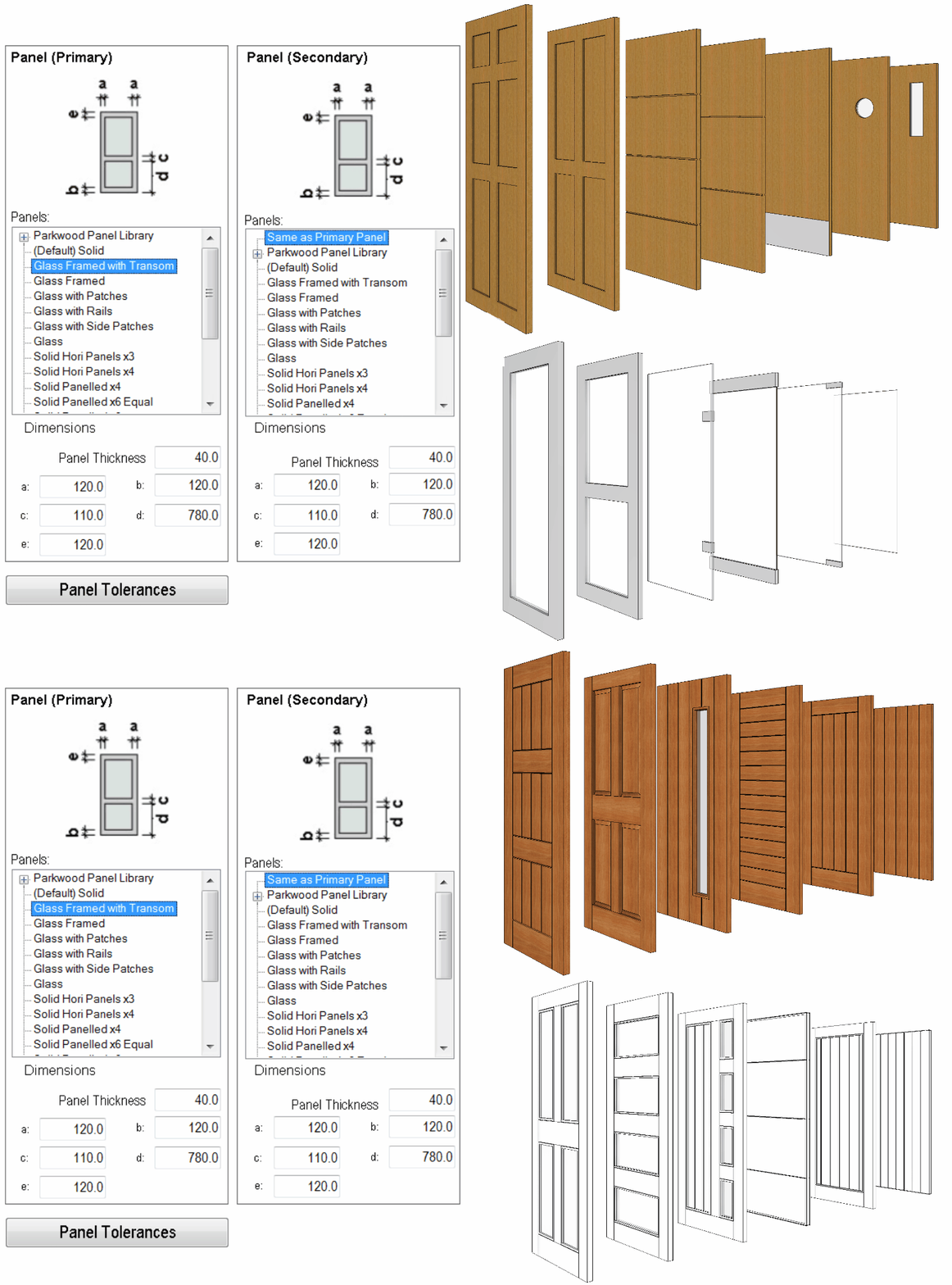
Huge Selection of Door Panels
Glass and solid panels for any door configuration - copy, customize and add your own to the library.
Bonus: Additional manufacturer’s content included.
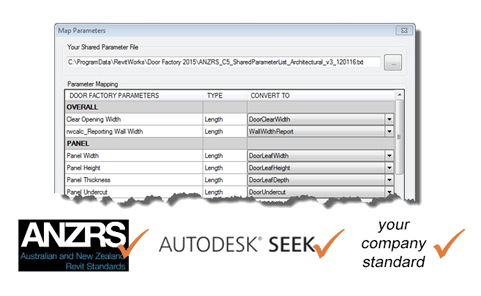
Parameter Mapping
Premium Door Factory allows you to change the default parameter names to any other parameter name you choose to ensure your doors are compliant with any standard.
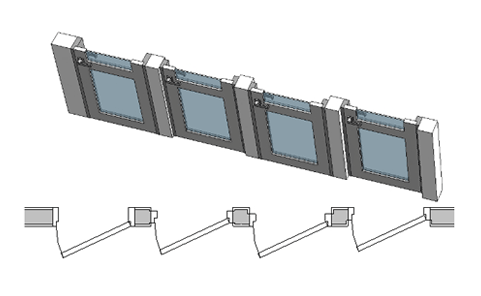
Universal Controls, Alignments and Offsets
All doors have the same tools for how they fit within the wall. Along with the standard swing and flip controls, door jambs can be set to match the wall width or have a specified width. They can also be aligned or offset from the center-line, interior or exterior face of the wall.
Add Trims, Handles & User Components
Add anything you want to your door and have it flex to the wall, jamb or panel dimensions.
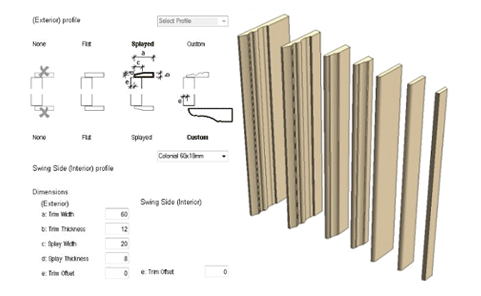
Interior & Exterior Trims
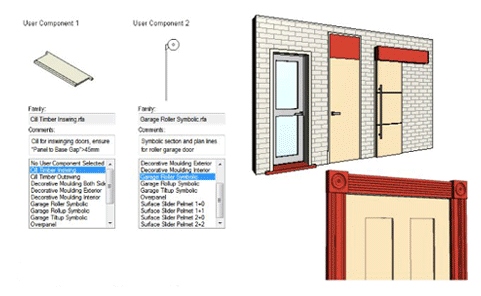
User Defined Components
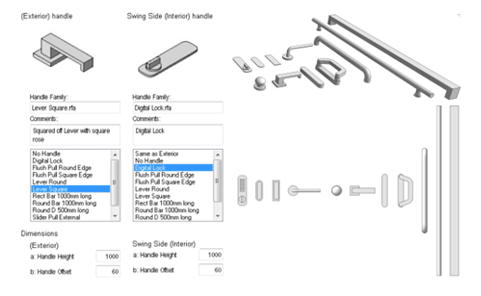
Handles
Create the unique doors that you need
The Door Factory Premium comes with a selection of trims, handles, timber sills, decorative mouldings, sliding door pelmets, over-panels and even 2D details than can be embedded int the door family.
All of these can be copied, customised and added to the library.
"We've saved countless hours creating quick, one-off configurations that are easily manipulated to specific instances or an entire line of project specific doors."
Kedric Leach - Leach Industries
Premium DOOR FACTORY Technical Information
Full Feature List
Feature comparison list for the RevitWorks Door Factory Premium and Premium Preview add-in
Whats new
New Features available within the latest Door Factory
FAQs
Frequently asked questions and answers regarding RevitWorks Premium Door Factory
Technical Specifications
Technical Information including Object Styles, Detail Levels, Shared Parameter usage and Parameter lists
On-Line Help
Detailed information on the features and settings available on each tab of the Door Factory.
Configure for Multiple Users
The RevitWorks Door Factory can be configured to ensure all users access the same centralised content and settings
Ready to Turbocharge Your Business?
"It allows us to create doors exactly like they would be in real life, instead of relying on sub-standard door families from other libraries or content websites."
Greg Burr - Designgroup Stapleton Elliott
Premium DOOR FACTORY - Options & Pricing
Preview

Add-in for full Revit
Versions 2024, 2023 & 2022*
Create the best Single & Double Swing Doors for FREE
- Customisable Panel & Handle libraries
- Configurable Jambs & Trims
- Parameter Mapping
- Default Naming
- Universal Controls
FREE
Premium
Add-in for full Revit Versions 2025, 2024 & 2023*
More Features
Everything contained in the PREVIEW plus
- 44 Door Actions
including: Swing doors, Pivots, Sliders, Bifolds, Garage Doors, Specialty Doors and Operable Walls - User Components
- Custom Trim Profiles
- Flexible Licensing
starting from
$475 USD
Suite

Buy several products together and save $$$
PREMIUM SUITE
for Full Revit
includes
- Door Factory Premium
- Electrical Premium
*View Local Standards* - Standard Casework
- Fixings & Flashings
starting from
$1446 USD
Standard
Designed for Revit LT
(not a Revit Add-in)
A Revit project file containing pre-built doors with editable components
- Over 100 pre-built door and curtain panel door families
- Configurable Jambs & Trims
- Customisable Panel & Handle Libraries
- Universal Controls
starting from
$525 USD
All pricing is in $US. Local sales tax may be added at time of purchase.
* The Door Factory Premium is an add-in application for full Revit (2023, 2022 & 2021). Older versions are no longer supported but may be available upon request. Revit LT users should refer to the Door Factory STANDARD
UPGRADES
If you have previously purchased any of our products you will be able to upgrade that product to the latest version at a fraction of the full purchase price.
Door Factory Premium UPGRADE Pricing
All Door Factory Premium licenses are valid for a specific version of Revit. They never expire for that version, however, an upgrade is required to be compatible with each new major release of Revit. This is typically once a year.
1st upgrade license | $190 USD |
2 - 20 upgrade licenses | $58 USD each |
21 - 40 upgrade licenses | $46 USD each |
Door Factory Premium Additional Licenses
Need more licenses?
Additional licenses per user | $145 USD each |
How to Buy
Please email sales@revitworks.com with your request